Production data access, without production credentials.
QueryProxy sits between your team and your databases. Developers submit SQL, DBAs approve from the web or Slack, and results come back limited, masked and fully audited.
$ docker run -p 7432:7432 queryproxy/queryproxyWhat is QueryProxy?
QueryProxy is an open-source, self-hosted database access control and query approval portal: it sits between your engineering team and your production databases so developers can work with real data without ever holding production credentials.
Instead of sharing passwords or opening ad-hoc tunnels, every read and every write travels one path — submitted in a guarded SQL editor, parsed before it runs, approved by a DBA in the web queue or in Slack, then executed asynchronously with results limited, masked by your rules and written to an append-only audit log. It runs on your own servers under AGPL-3.0, and starts with a single docker run.
How it works
The SQL query approval workflow, step by step
Every query takes the same safe path
No shared passwords, no ad-hoc tunnels, no "can you run this for me?" — one flow for every read and write.
Submit
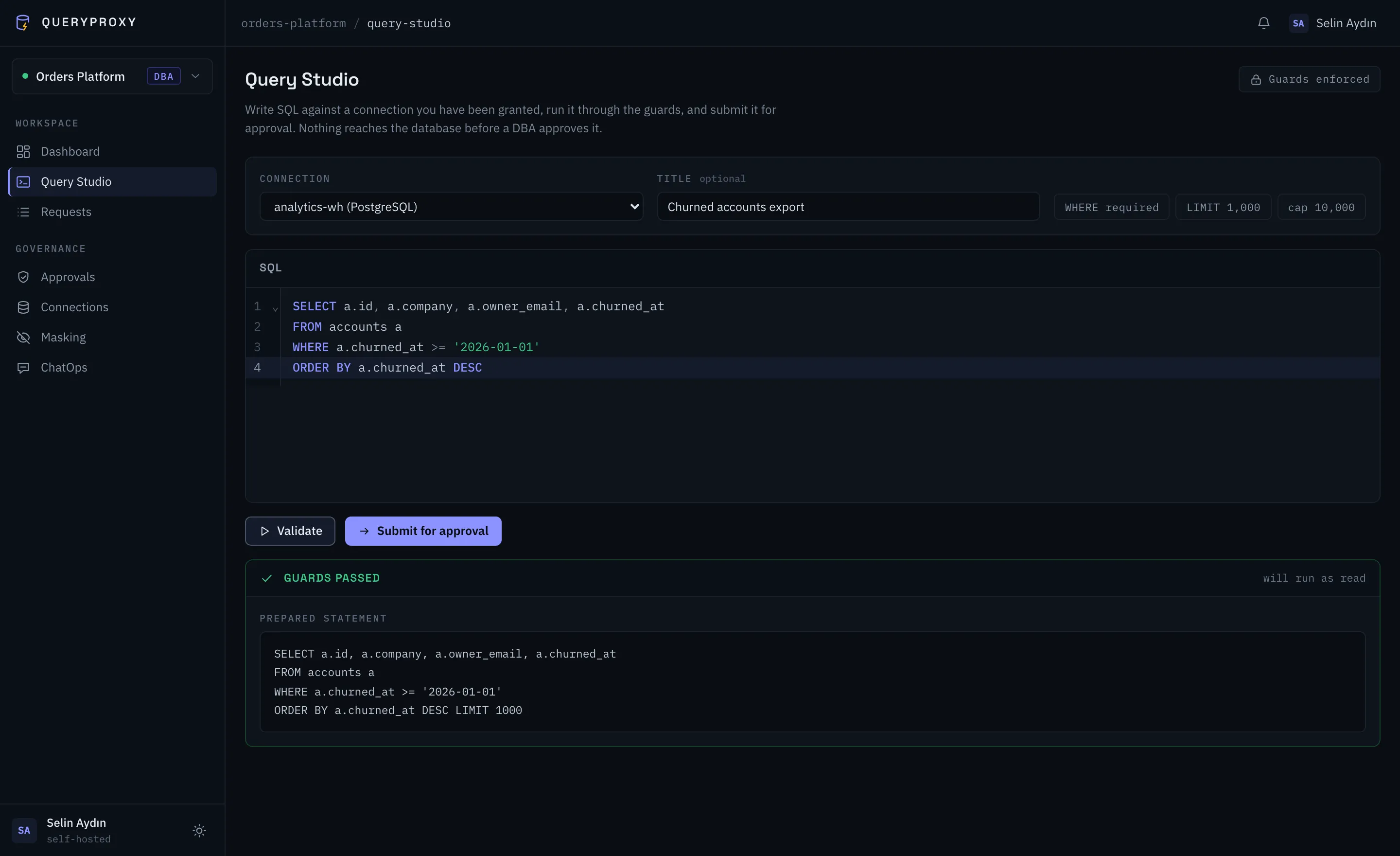
Developers write SQL in a guarded editor against connections a DBA granted them — credentials never leave the vault.
Guard
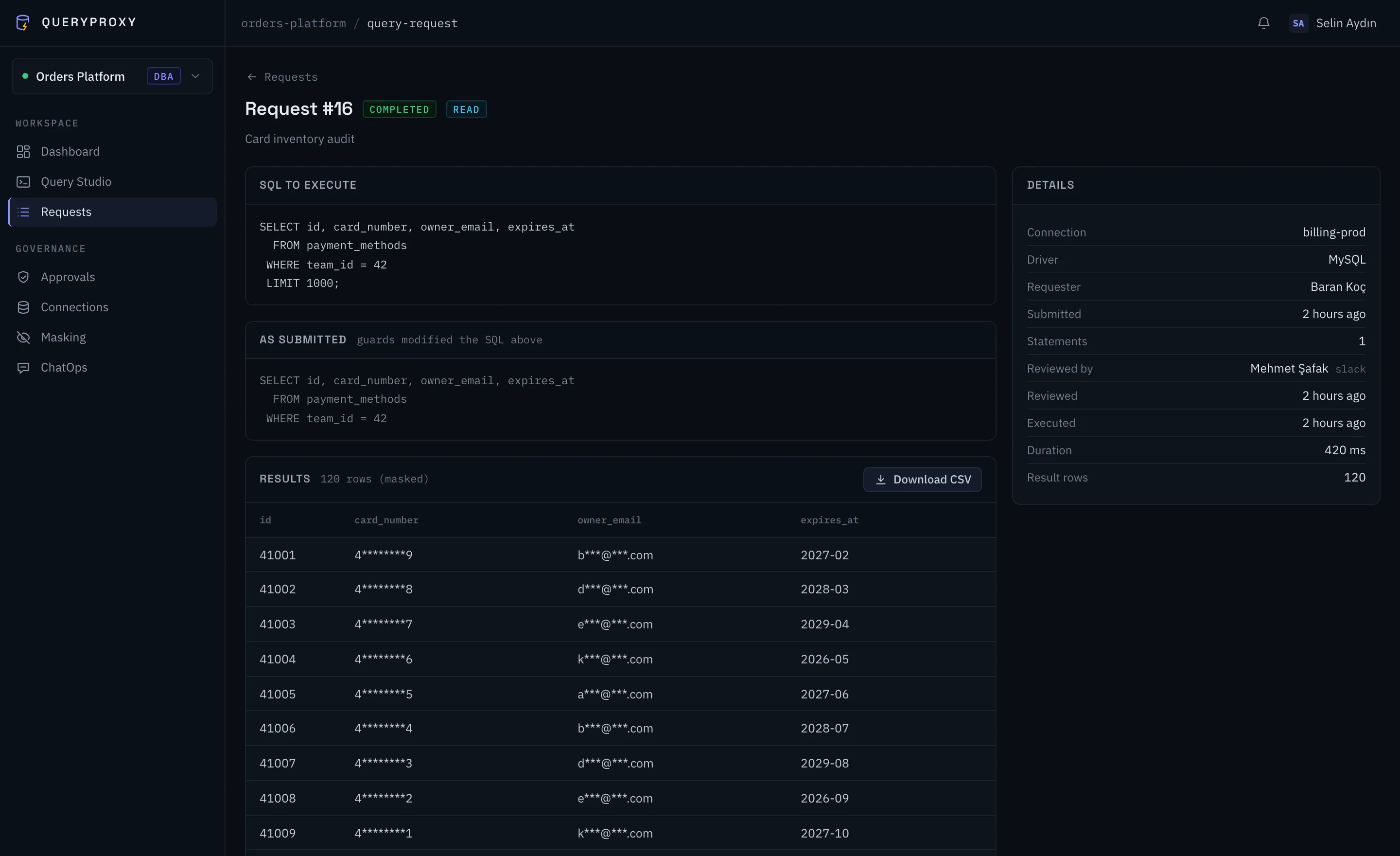
The AST inspector rejects WHERE-less UPDATE/DELETE, injects and clamps LIMITs, and blocks the statements that hand out server-level code execution or file access.
Approve
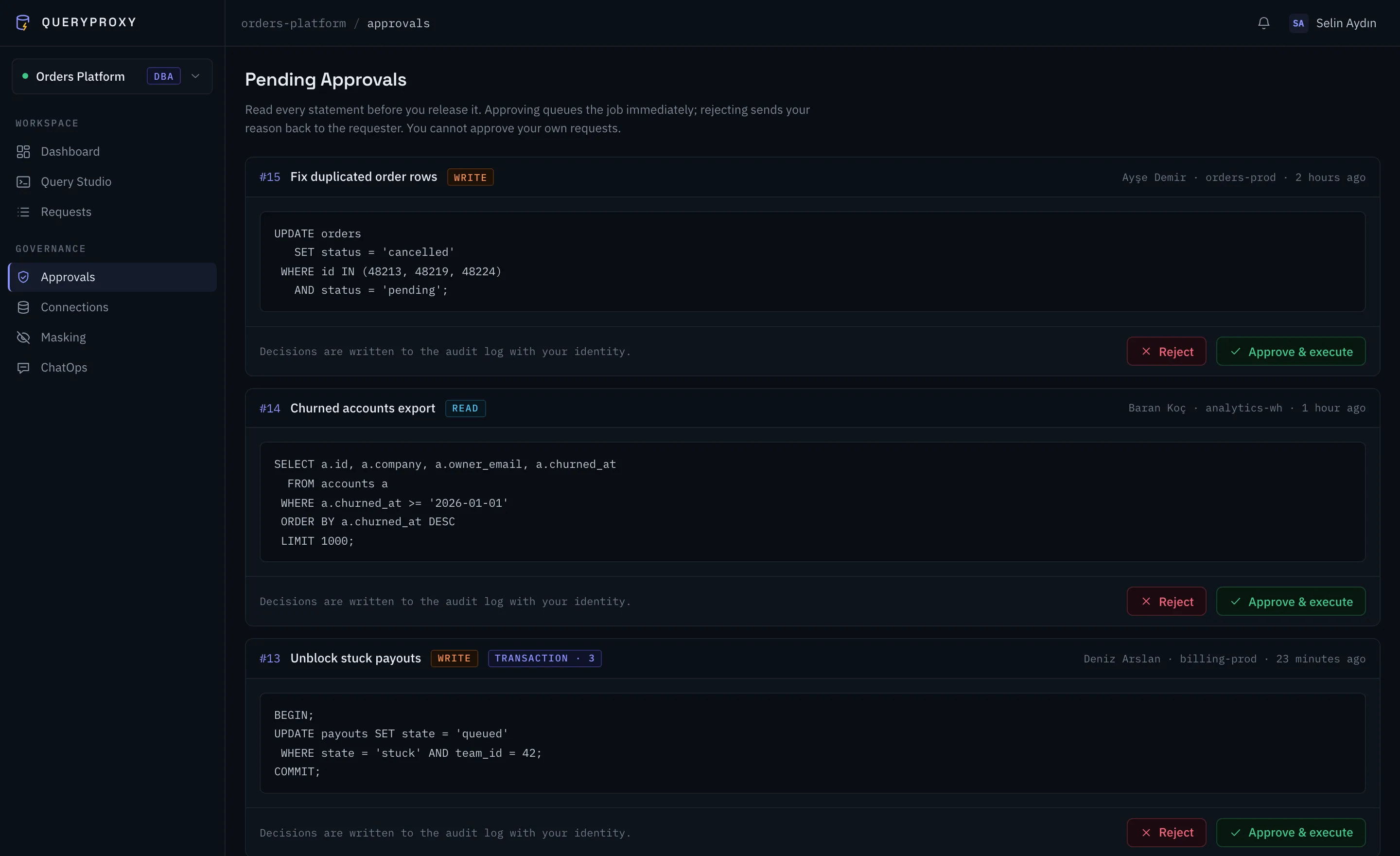
DBAs decide from the web queue or straight from Slack / Teams. Self-approval is blocked (an admin override is flagged); every decision is audited, and chat callbacks are HMAC-signed.
Execute
A queue worker streams results row-by-row, masks the values your rules match before they touch disk, and writes the full story to the audit log.
Features
Database access control for engineering teams
Everything between "can I run this?" and the result
SQL guards, enforced by parsing
Statements are inspected, not pattern-matched. Destructive queries without a WHERE never reach a database, and runaway SELECTs are capped at a hard limit.
Approvals where your team lives
Interactive Approve / Reject buttons in Slack; Teams gets a card that links straight into the request, with an HMAC-verified action endpoint for flows that decide from chat. Every callback is HMAC-SHA256-verified and carries a single-use token bound to that one request — a forged or replayed click changes nothing.
Dynamic data masking
Column-pattern and content-regex rules mask emails, cards and secrets while results are written — values your rules match are masked before the result is stored, so the stored result never holds them unmasked.
Teams & roles, isolated
DBA, Developer and Auditor roles per team, plus a system-wide Admin. Connections, requests and audit trails never cross team boundaries, and access to each connection is granted per developer.
Async and memory-safe
Approved queries run on a worker, never in a request cycle. Cursor streaming keeps memory flat whether a result has ten rows or ten thousand.
An append-only audit log
Who asked, who approved, what ran, how long it took, what it touched. The application only inserts and reads entries — never edits or deletes them — and auditors can filter and export them as CSV.
Security
Production data protection, by construction
Security is the reason this product exists.
QueryProxy exists so that nobody needs standing access to production. Pair it with a least-privilege, read-only database user: the SQL guard is defence in depth, not a substitute for database privileges.
Found something? See oursecurity policy.
AES-256-encrypted credentials
Hosts, usernames and passwords are encrypted at rest — never in logs or error messages.
Signed chat callbacks
HMAC-SHA256 with a ±5-minute replay window on every Slack and Teams action, plus a single-use action token per request. Signing secrets are administrator-only.
No self-approval
Nobody green-lights their own query. Admin overrides exist — and are flagged in the audit log.
Two-factor authentication
Optional TOTP with recovery codes, and an instance-wide requirement you can enforce per role.
Masked at write time
Masking runs inside the result stream — values your rules match are never written to the result store unmasked.
Append-only audit trail
The application inserts and reads audit rows; update and delete throw. This is enforced in the application layer, not by the database.
Rate-limited everywhere
Login and webhook endpoints are throttled; failed logins back off automatically.
Quick start
Self-host QueryProxy with Docker in two minutes
Running before your coffee cools
One container starts the portal, the queue worker and the scheduler. SQLite by default, zero external services — swap in MySQL/PostgreSQL and Redis with environment variables when you outgrow it.
- No Redis, no external queue — database-backed by default
- Docs cover Slack & Teams setup step by step
- Optional demo team — two environment variables to explore every role
$ docker run -d --name queryproxy \
    -p 7432:7432 -v queryproxy-data:/var/www/html/storage/app \
    -e [email protected] \
    -e QUERYPROXY_ADMIN_PASSWORD=... queryproxy/queryproxy
$ open http://localhost:7432
✓ portal · worker · scheduler running in one container
FAQ
Frequently asked questions
- What is QueryProxy?
- QueryProxy is an open-source, self-hosted database access control and query approval portal. Developers submit SQL through a guarded editor, a DBA approves or rejects it from the web or from Slack, and the approved query runs asynchronously with results limited, masked and audited.
- Is QueryProxy free?
- Yes. QueryProxy is free and open source under the AGPL-3.0 licence, with no paid tier and no per-seat pricing. You run it on your own infrastructure, so the only cost is the server it runs on.
- Which databases does it support?
- PostgreSQL, MySQL, MariaDB, Microsoft SQL Server and SQLite. The driver for SQL Server is in the code, but the published Docker image ships without it, so SQL Server needs a custom image with Microsoft’s ODBC driver. Connections are configured per team by a DBA, and each developer is granted access to specific connections rather than to a database server.
- Do developers ever get production credentials?
- No. Credentials are stored AES-256-encrypted in the application and are never sent to the browser, written to logs or shown in error messages. Developers pick a connection by name; QueryProxy holds the credential and runs the query on their behalf.
- How is this different from a bastion host or a VPN?
- A bastion host controls who reaches the database; it cannot see what they then run. QueryProxy inspects the statement itself — rejecting UPDATE and DELETE without a WHERE clause, capping runaway SELECTs, masking PII in the result — and records who approved each one. The two solve different halves of the problem and are often used together.
- Can queries be approved from Slack or Microsoft Teams?
- Yes. In Slack the request arrives as an interactive card with Approve and Reject buttons. Teams gets a card with a deep link into QueryProxy, and decisions are wired through an HMAC-verified action endpoint — typically a Power Automate flow. Every callback is verified with an HMAC-SHA256 signature, a replay window and a single-use token bound to that one request, so a forged or replayed click changes nothing. Approving in chat is equivalent to approving in the web queue.
- Does it work without Docker?
- Yes. QueryProxy is a standard Laravel application and installs manually on any host with PHP 8.3 or newer, Composer and Node.js 20.19+ or 22.12+. A single docker run is the fastest path — one container starts the portal, the queue worker and the scheduler.
- Is data masked before it is stored?
- Yes. Masking runs inside the result stream as rows are written, so a value your rules match never reaches the result store unmasked. Rules match on column patterns such as *email* or *card*, or on content regexes. New teams start with default rules; existing teams add their own, and a column no rule covers comes back as it is.
Put an approval in front of every production query.
Free, open source, yours to host. Star it, fork it, run it tonight.